01 / MUSIC VIDEO
First Day of Summer
Pika version · 13 shots · 1:00 · 1280 × 704
Showrunner · Bundled WanGP app
Make a music video, short film, ad, trailer or illustrated story. Deepy plans, casts, shoots and edits while you review and direct the work on a storyboard and timeline.
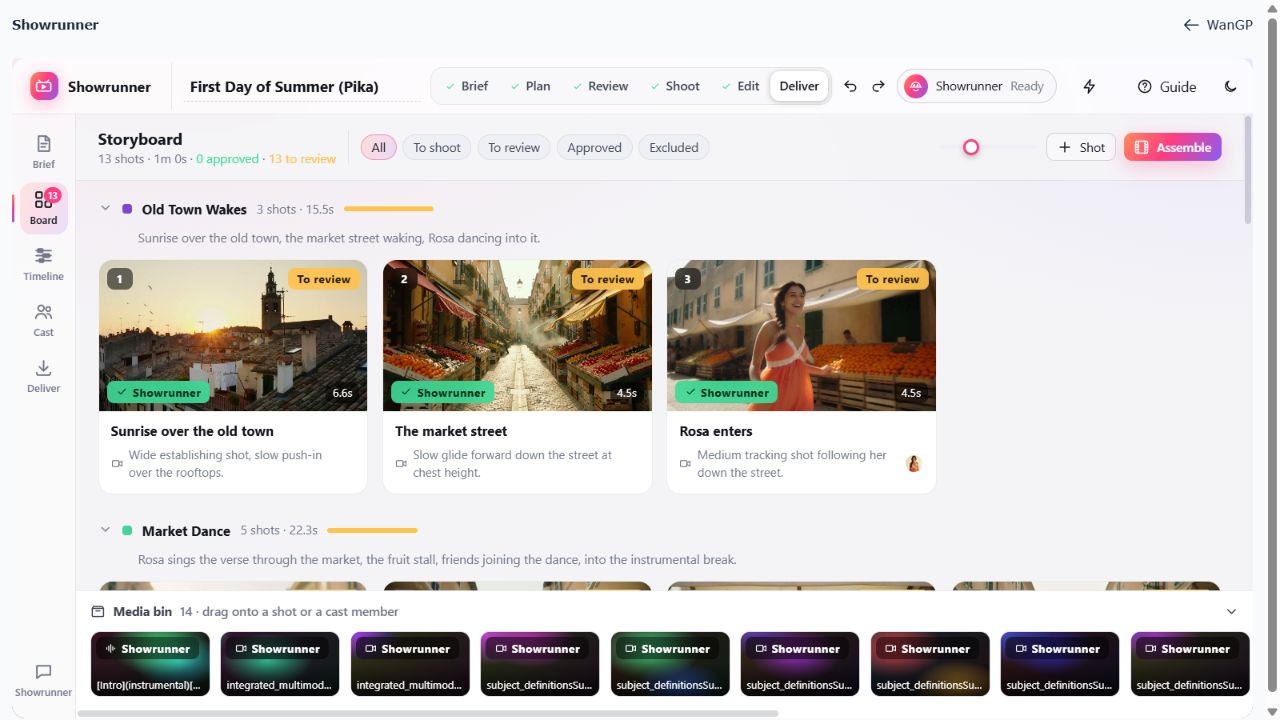
Bundled with WanGP · Requires Deepy Prime for directing · Local or remote agent · Manual editing works without Deepy
Made with Showrunner
Three complete productions generated with Showrunner. These web copies preserve the original picture dimensions, frame rate and audio, with lighter video compression for playback.
Pika version · 13 shots · 1:00 · 1280 × 704
Iteration version · 16 shots · 2:30 · 832 × 480
Iteration version · 4:32 · 832 × 480
You keep the direction
The brief, cast, board, timeline and delivery versions belong to one production. Ask the showrunner for changes, or make them directly yourself.
By default, Showrunner stops after writing the plan. Review shot descriptions, timing, camera choices and cast before starting the shoot.
Cast cards hold reference pictures, costume variations and voice samples. Showrunner reuses these references across scenes and sequences.
Showrunner checks its own takes and retries failures. You choose what to approve, what to redo, and which take belongs in the edit. Locked shots stay unchanged.
Shape the edit
Preview chosen takes, trims and transitions against the song before rendering. Move shots, trim edges, snap to beats and bars, and add titles, lower thirds or chapter cards.
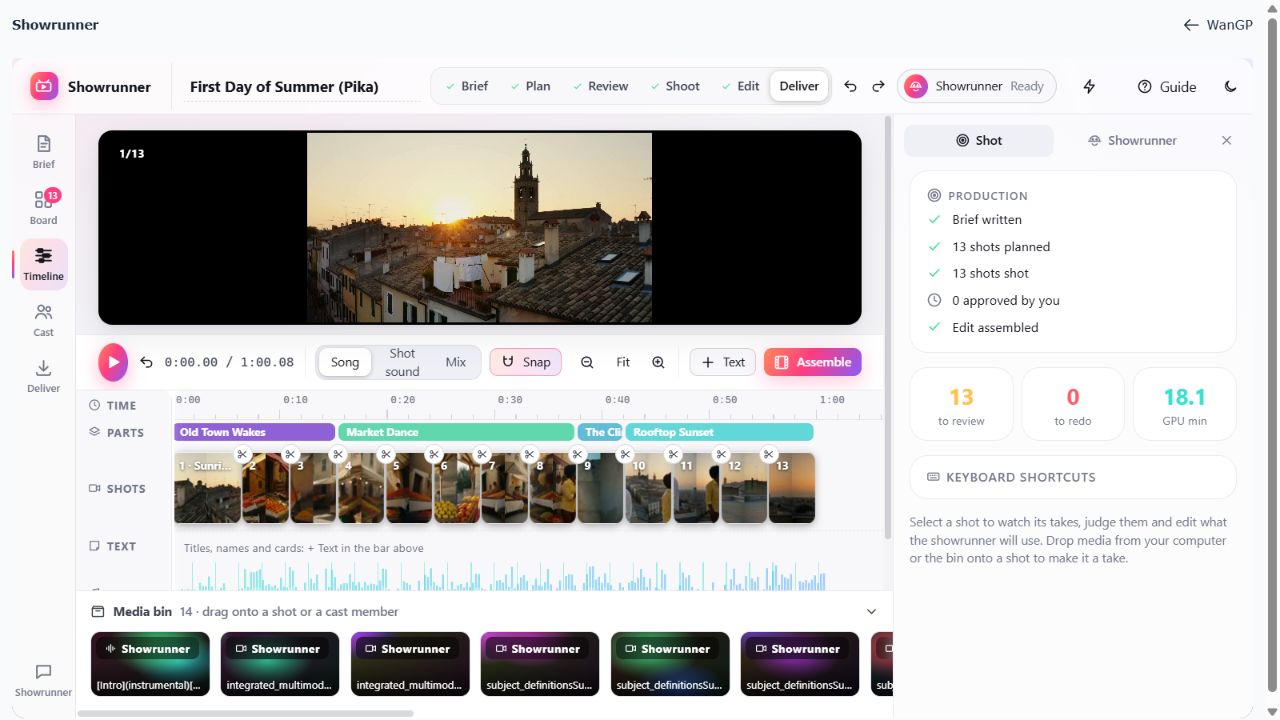
Review alternatives, compare takes in sync, reorder shots and adjust cuts, dissolves or fades.
Mix the song with shot sound, place narration or a score, and add sharply rendered titles and captions.
Assemble a new cut in Deliver, watch the result and return to earlier versions when you need to compare or restore an edit.
Your first production
Enable Deepy Prime in Configuration → Prompt Enhancer / Deepy, with a supported local model or remote engine. Then open Showrunner from the app bar and choose Keep It if its introduction appears.
Name the production. Describe the idea, add a script or lyrics, and drop your song, references and cast photos. A music video can also start without a song: the showrunner can compose it.
Review the Board before shooting. Change the action, camera, duration or cast, and choose Deepy templates for each kind of media.
Click Shoot N shots. Inspect the resulting takes, approve the ones you want and mark others Redo with a clear note. You can require take approval before the edit is assembled.
Adjust the Timeline, choose the soundtrack and add text. Assemble the cut and watch it in Deliver. Ask for another pass or keep refining it yourself.
Use Full Screen or add /showrunner/ to your WanGP server address. The address remembers the production and view, so you can bookmark the board or timeline. The in-app Guide explains each page.