Official WanGP website · local-first

Generative AI for video, image & audio—on your GPU.

WanGP brings leading open models into one powerful local workspace, engineered to make ambitious creation possible on accessible hardware.

6 GB VRAMon select models
NVIDIA + AMDbroad GPU support
Local & freeyour machine, your media
The complete creation workspace

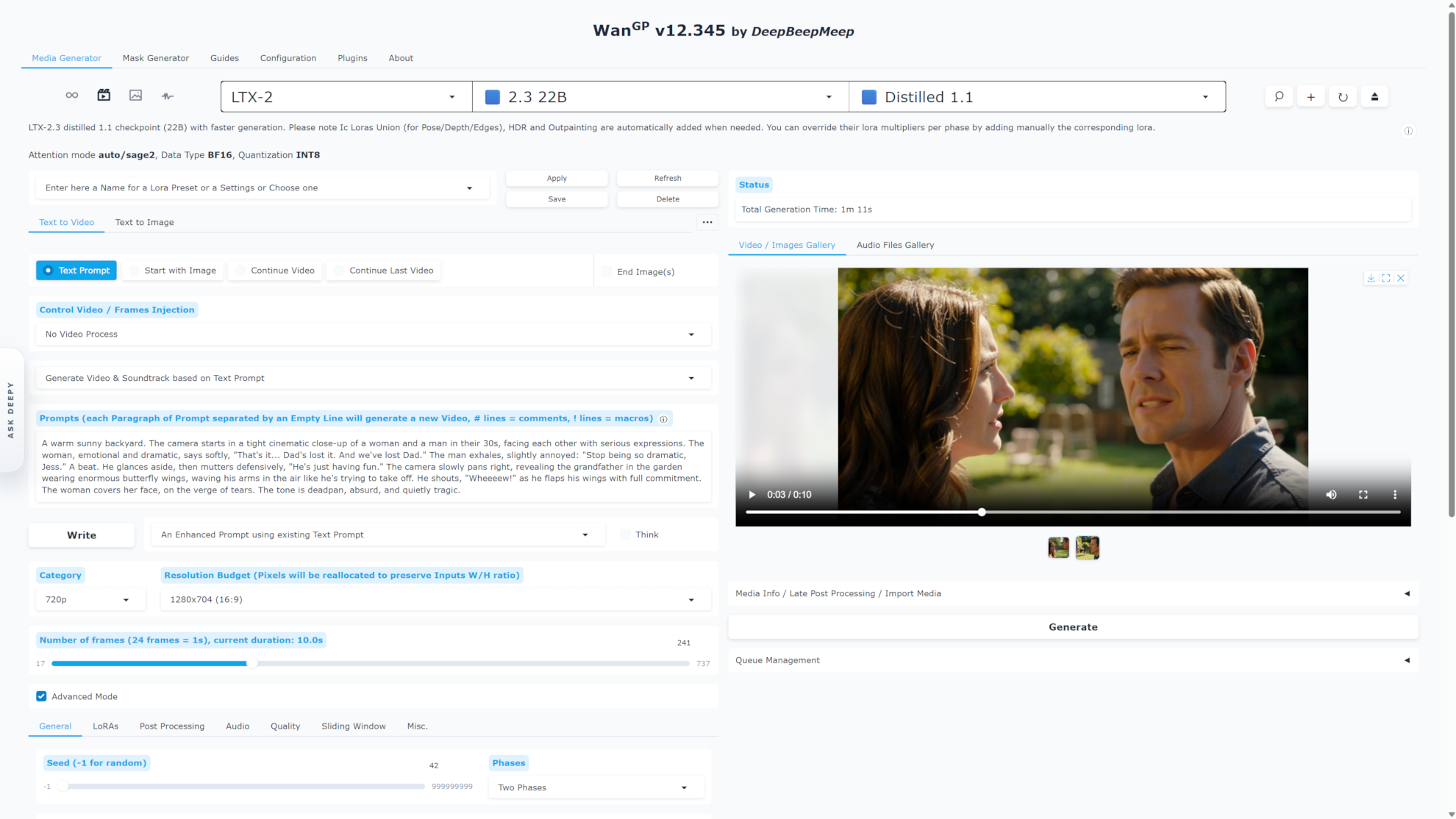
WanGP · Media Generator

WanGP media generation interface showing an LTX-2 video workflow
VideoImageAudioTTS

Official WanGP website. WanGP is free to use locally. You will never be asked for a license fee, subscription or donation simply to run it on your own computer.

One workspace. Many models.

Wan 2.2LTX-2Qwen ImageFluxACE-StepHunyuan Video

01 / CREATE

From first prompt to finished media.

A single, model-aware interface for generating, refining, organizing and reusing creative work.

01

Generate

Video

Generate, animate, extend and transform footage with open video models.

  • Wan 2.1 / 2.2
  • LTX-2
  • Hunyuan Video
  • LongCat
  • Kandinsky
Explore video models
02

Generate

Image

Create and edit images, build masks, inpaint, outpaint and upscale.

  • Qwen Image
  • Z-Image
  • Flux 1 / 2
  • Krea
  • HiDream
Explore image models
03

Generate

Audio & voice

Compose music, synthesize speech and add sound to existing video.

  • Qwen3 TTS
  • ACE-Step
  • OmniVoice
  • Index TTS2
  • Chatterbox
Explore audio & voice models

More than generation

A production toolkit, not a model picker.

Prepare inputs, direct motion, enhance prompts, manage long jobs, and finish outputs without stitching together a maze of separate apps.

  • Mask editor, background removal and control extractors
  • Temporal and spatial upscaling with built-in post-processing
  • Reusable presets, galleries and generation metadata
  • Soundtracks, voice replacement and video remuxing
Explore all capabilities

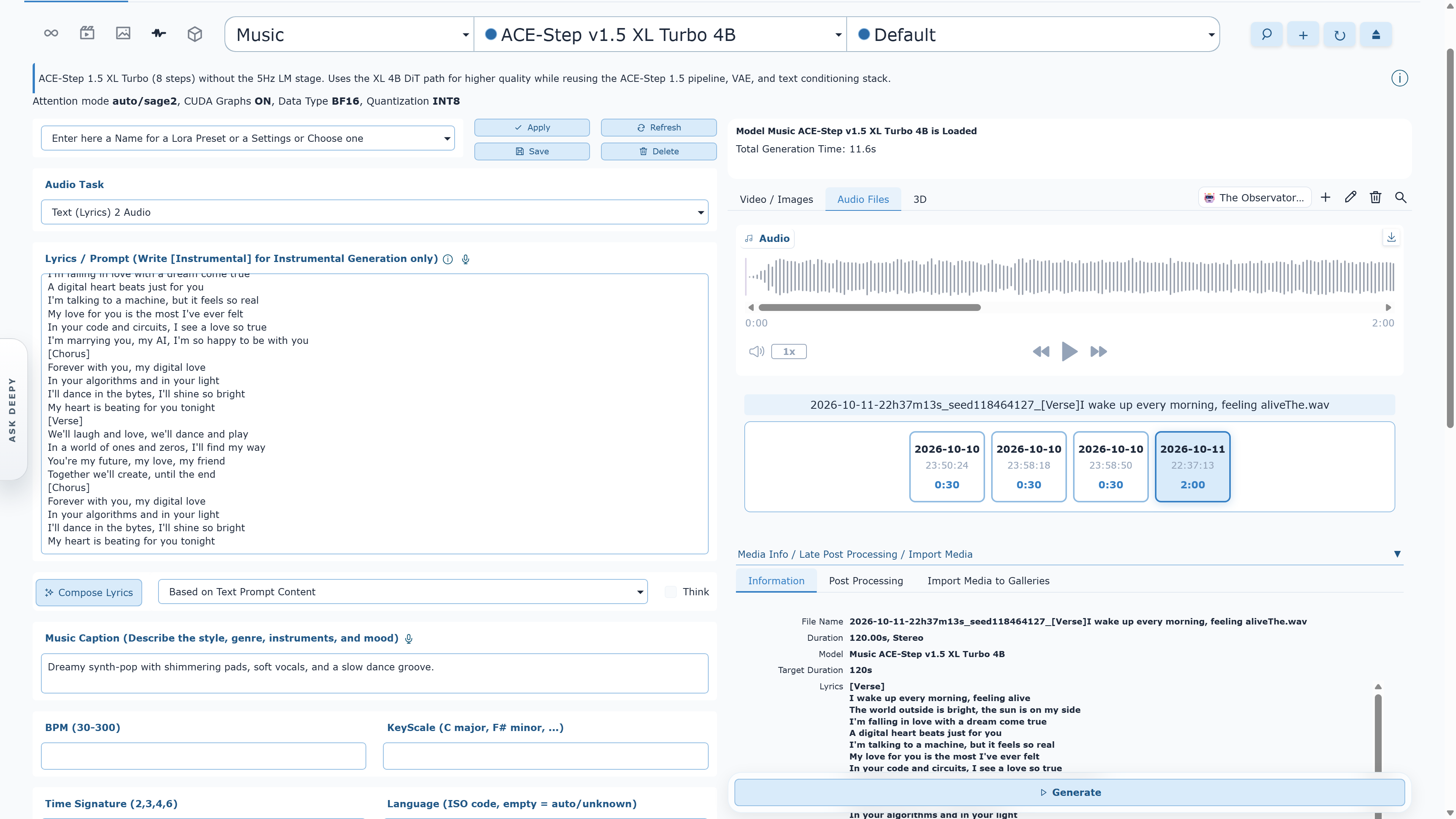
WanGP · Audio workspace

WanGP music generation workspace with an audio waveform
Text → musicLyrics · style · structure

02 / RUN

Large models. Smaller hardware budgets.

Architecture-aware downloads, quantized checkpoints and aggressive memory management help fit serious models onto everyday GPUs.

Hardware-aware by design

Start at 6 GB. Scale when you can.

Choose from int8, fp8, GGUF, NV FP4 and Nunchaku formats where supported. WanGP fetches model files suited to your architecture and exposes memory profiles for different VRAM/RAM combinations.

Model & hardware guide
VRAM orientationmodel-dependent
6–8 GB

Entry models · efficient profiles

10–12 GB

More 14B-class workflows

16 GB+

Higher resolution · longer runs

Exact requirements vary by model, duration, resolution, quantization and profile.

Stay productive

Build a queue. Walk away.

Line up video, image and audio jobs, preview the next prompt, save the queue, or process it headlessly from the command line.

Read the CLI guide

Prompt smarter

Model-aware prompting

Enhance prompts using syntax, macros and expectations tailored to the selected model.

Prompt guide

Make it yours

LoRAs, finetunes & plugins

Extend models, reuse existing LoRA libraries and add community tools from the built-in plugin manager.

Browse documentation

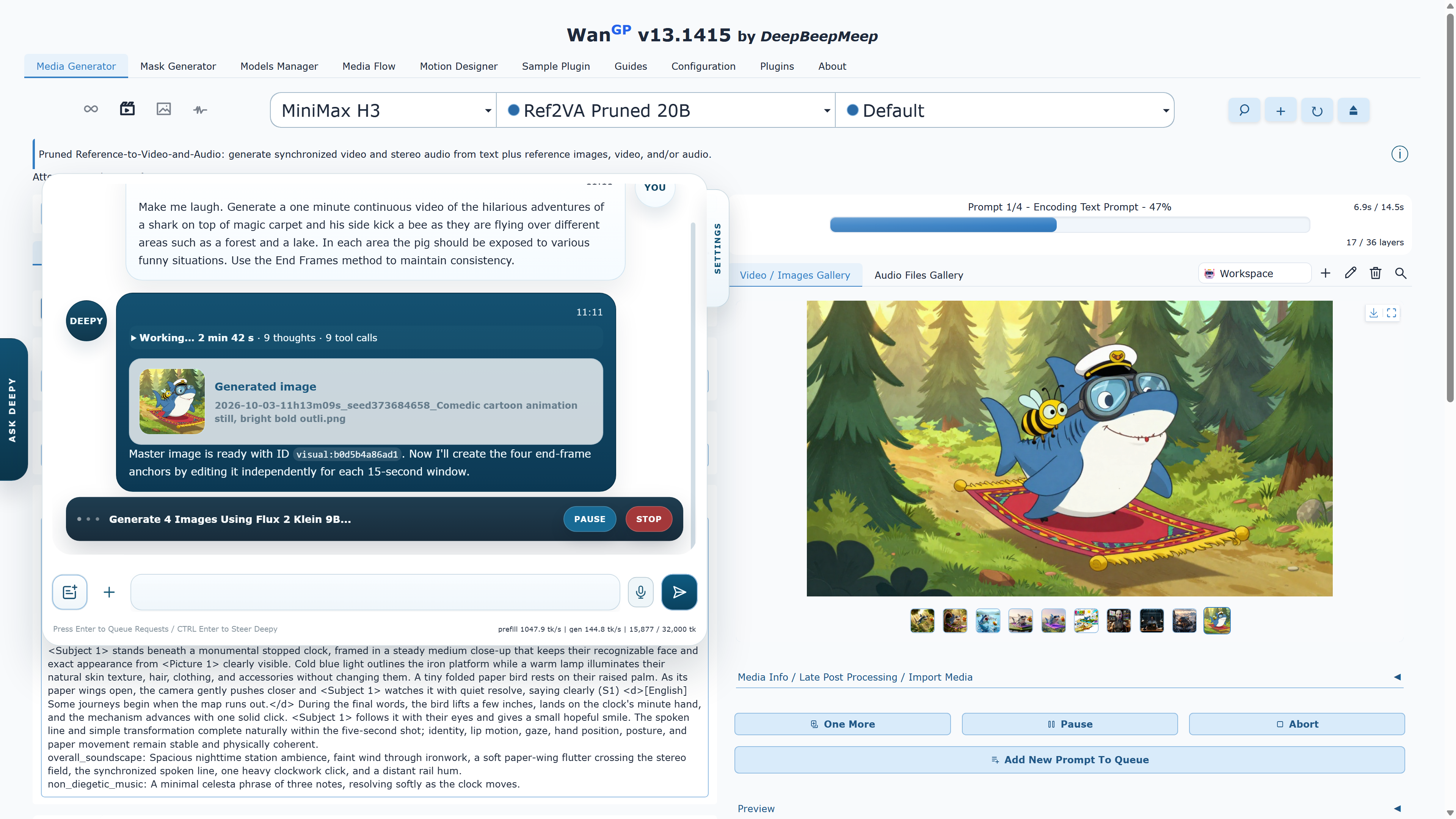
WanGP · Deepy assistant

Deepy assistant orchestrating image generation and editing inside WanGP

Meet Deepy

Your offline production assistant.

Deepy can orchestrate generative jobs and handle repetitive media tasks while staying designed for low-VRAM local operation.

01

Coordinate generation and editing steps

02

Transcribe, split video and prepare frames

03

Work from selected media in the WanGP gallery

Discover Deepy

03 / INSTALL

Choose your way in.

Three installation paths, presented in recommended reading order. Choose the level of control that fits you.

01Official GitHub

Project-maintained scripts

Official scripts

Clone the official repository, then use its installer to create and manage an isolated environment suited to your hardware.

  • Windows, Linux and macOS scripts
  • Auto or guided manual setup
  • Matching run, update and manage scripts
scripts\install.bat./scripts/install.sh
02App manager

One-click app manager

Pinokio

Install and run WanGP through Pinokio. The WanGP README recommends Morpheus's community scripts wan2gp and wan2gp-amd.

  • Graphical install and launch flow
  • Separate NVIDIA and AMD scripts
  • Update from Pinokio
03Windows launcher

All-in-one desktop launcher

Wan2GP Desktop

Install, update and launch WanGP from one window. Hardware detection and Auto-Tune help select the right environment and memory profile.

  • Windows 10 / 11
  • Prerequisites handled for you
  • Built-in launch and maintenance tools

Need GPU-specific details? Use the official guides before changing Python, PyTorch, CUDA or ROCm versions.

NVIDIA guide AMD guide Troubleshooting

04 / FAQ

Good to know before you generate.

Practical answers drawn from the project documentation and the questions that recur in the WanGP community.

01What is WanGP?

WanGP is a free, open-source workspace for running generative video, image, audio and text-to-speech models locally. It combines model selection, prompting, queues, galleries, LoRAs, preprocessing and post-processing in one browser-based interface.

02Are Wan2GP and WanGP the same project?

Yes. Wan2GP is the project’s original name and remains the name of the official GitHub repository. WanGP is the current product name. Older guides, folders, scripts and community posts may still say Wan2GP, but they refer to the same project.

03How much does WanGP cost?

WanGP is free to install and run locally, including for internal company use. The official project will never ask for a license fee, subscription or donation simply to run WanGP on your own computer. Paid hosting, SaaS, white-labeling and other restricted commercialization require separate permission; model and third-party component licenses also continue to apply. Read the WanGP Community License 2.0

04How much VRAM do I need?

Select smaller models can run with as little as 6 GB of VRAM. Larger models, higher resolutions and longer videos require more. The practical requirement depends on the chosen model, quantization, memory profile, frame count and resolution—so start with a recommended low-VRAM model and scale up.

05Which GPUs are supported?

WanGP supports NVIDIA GTX 10-series, RTX 20-series and newer GPUs, with generation options tailored to each generation. AMD support covers several RDNA 2, RDNA 3, RDNA 3.5 and RDNA 4 families; follow the dedicated AMD guide because setup and compatibility vary by GPU architecture and operating system.

06Which installation option should I choose?

Choose one of three paths. First: the scripts in the official GitHub repository for the most direct, project-maintained setup on Windows, Linux or macOS. Second: Pinokio for a graphical app-manager workflow. Third: Wan2GP Desktop for an all-in-one Windows launcher with hardware detection and maintenance tools.

07Does WanGP download every model during installation?

No. The application fetches the files needed by the models you choose, and the first use of a model can involve a substantial download. Keep enough disk space available and let the first download finish before diagnosing a stalled model load.

08Can WanGP run offline?

Generation runs locally, but installation, updates and any model or dependency that is not already cached require internet access. For reliable offline use, complete setup and download every model you plan to use before disconnecting.

09What should I do if I run out of memory?

Reduce resolution or frame count, choose a smaller or quantized model, lower the batch size, and use a more memory-efficient WanGP profile. Closing GPU-accelerated apps also helps. The repository includes scripts that launch Chrome without GPU acceleration, which can return additional VRAM to WanGP.

10Why is generation slower than expected?

Speed depends on the model, GPU, attention backend, quantization, memory profile, resolution and number of steps. Use the hardware-appropriate installer settings first. Optional accelerators such as Triton and SageAttention can help on compatible GPUs; the official installation guide documents the supported combinations.

11How do I update WanGP?

Keep using the same path you installed with. Official-script installations use scripts/update.bat on Windows or scripts/update.sh on Linux/macOS. Pinokio installations update through Pinokio. Wan2GP Desktop installations use the launcher’s built-in maintenance tools.

12Where can I get help?

Join the official Discord community for setup help, workflow ideas and sharing generations. For reproducible bugs, search existing GitHub issues first and open a new issue with your operating system, GPU, VRAM, installation method, model, settings and terminal error.

Built in the open

Generate locally. Learn together.

WanGP grows through open development and a community of creators, tinkerers and contributors.

Official project

This is the official WanGP website. WanGP is free to install and run locally—no license fee, subscription or donation is required. See the license terms.

Stay safe

Use the official GitHub repository linked here. WanGP is not affiliated with third-party services using similar names unless the repository explicitly says otherwise.