Describe a world, or start with an image. Then walk into it. Hy-Nomas and EVOKE generate what comes next as you move, look around and introduce new events.
Two world models. Your GPU. A journey you can save. World Models introduced in WanGP v18.84.
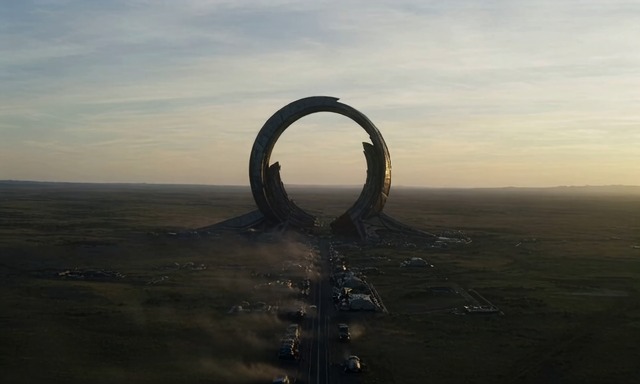
EVOKE Turbo · Alien GatewayAn actual generated view from the world explored below.
Two ways in
A story from words. A place from a picture.
These are recordings from real WanGP worlds, reopened and explored locally. Play the videos here; run WanGP on your computer to choose your own path.
01 / Text → World
Hy-Nomas 8B
0:00 / —
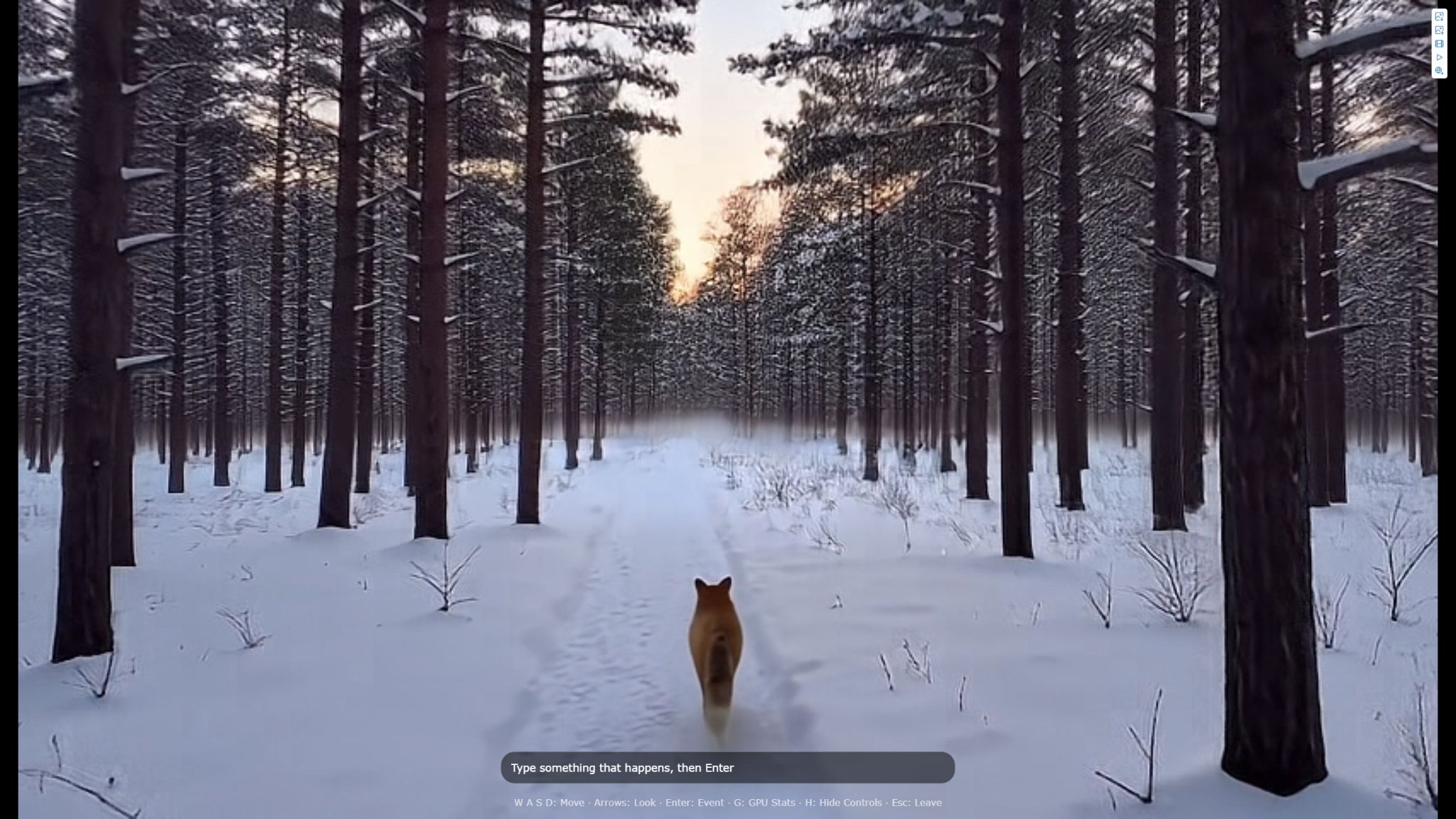
Follow a red fox through a snowy pine forest at dawn. This demo starts with the saved world's opening, then walks forward and turns the camera during live exploration.
Start with
A text description, or structured story segments for more control.
Explore
Walk and look around. Type events to direct the subject or introduce something new.
Adjust
Move length, Fast / Balanced / Best quality, and the amount of remembered history.
This demo
832 × 480 at 24 fps. The original world uses 8 steps; live moves use Fast quality.
Try a simple starting prompt
A snowy pine forest at dawn. A red fox trots along a narrow trail between tall trees, its bushy tail swaying. Soft pink light and low mist. The camera follows a few meters behind.
[Forward]
[Look_Right]
A suggested starting prompt, not the full structured prompt used for this saved world. Plain text works; the optional Write helper can turn an idea into timed story segments.
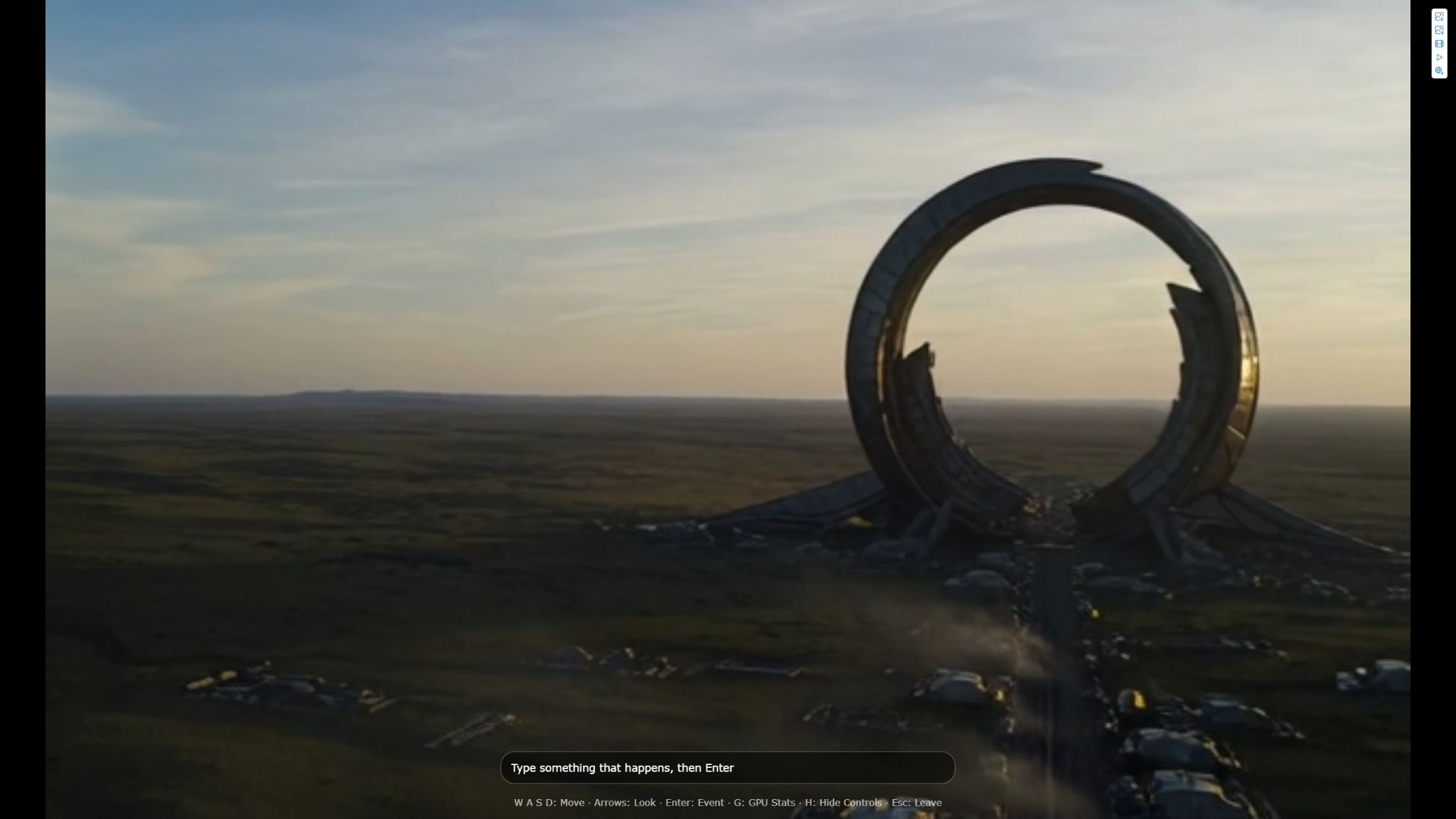
Approach a monumental gateway on an alien plain. This demo reopens a world generated from a start image, then moves forward and turns to reveal another view.
Start with
An image with a sense of depth, plus a short description of the place and its look.
Explore
Streets, landscapes and interiors. Depth memory helps retain their broad layout when you return.
Adjust
Move length and memory. Moves come in 1.5-second chunks; generation quality is fixed.
This demo
640 × 384 at 24 fps. Start images are center-cropped to 5:3; keep the subject near the middle.
Read the scene prompt
An enormous circular gateway stands alone on a flat alien plain, tiny vehicles travelling toward it while the surrounding ground runs empty to the horizon. Cinematic science-fiction look, soft dawn haze, monumental megastructure design.
Pair the description with a matching Start Image. Append movement instructions such as [Forward 3s] or [Look_Left] to explore during generation, or steer with the keyboard afterwards.
Captured locally on 29 October 2026 with the WanGP v18.88 development build and an RTX 4090. Videos play at the models' output frame rate: waiting for each generated move is not included. They are demonstrations of the output, not real-time performance benchmarks.
Your first exploration
Generate. Open. Go somewhere.
Choose your world model
In Media Generator, select the globe icon for interactive world models. Choose Hy-Nomas → World Model 8B or EVOKE → Turbo World 14B.
Give it a starting point
For Hy-Nomas, describe the scene and subject. For EVOKE, choose Start with Image, add your picture, and describe what it shows. Start with a short World History Duration.
Keep an explorable world
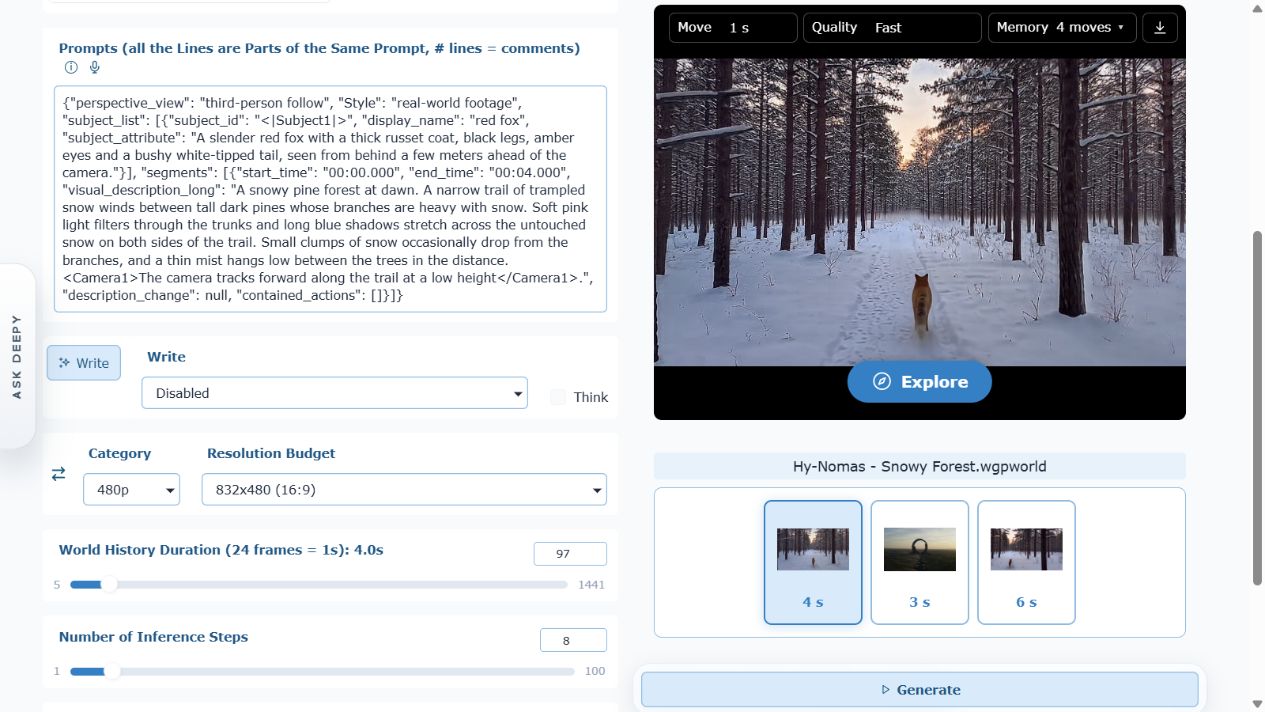
Use World Only, the default, or World and its Video. The choice is under Advanced Mode → General → Generate. Press the main Generate button. The result appears in the Worlds gallery.
Select the world and press Explore
The explorer opens full screen. Wait for the model to load, then hold a movement key. Each move generates a new short clip; holding a key continues when the next clip is ready.
Actual WanGP interface. Select a thumbnail in the Worlds gallery, then use Explore. Click the screenshot to see the full image.
A new view is generated with every move.
Expect pauses between clips, especially on the first move. More remembered history helps consistency, but costs memory; for Hy-Nomas it also makes moves slower. Start with Fast quality and a modest memory setting.
The world is at your fingertips.
WASD
Walk & step sidewaysHold a key to keep moving. Other keyboard layouts use the keys in these positions; the viewer displays their letters.
↑←↓→
Look aroundTurn left or right and look up or down. Combine a look direction with movement.
Enter
Introduce an eventType in the event box, then press Enter. Try “the fox sits down in the snow.” Events need longer clips and may not happen exactly as requested.
HGEsc
Control the viewH hides the controls. G shows statistics. Esc leaves exploration. Save World first if you want to keep your new position.
Inside the explorer
Real worlds. Actual controls.
English interface captures from the local session used for these demos. Open either image to inspect it at full size.
Hy-Nomas · Follow the foxThe event field can direct the subject or introduce something new into the scene.EVOKE · Beyond the first imageMove through the scene while depth memory helps preserve its overall layout.
Keep the discovery
A view, a video, or a world to return to.
Capture a view
Use Save Image or Add View to Image Gallery at the top right. Captures keep the original resolution and exclude the controls. Reuse one as the starting point for another generation.
Record or replay
Record Video renders the world's opening and your moves into the Video gallery. Replay watches the journey in the explorer; Space pauses and Esc ends replay.
Save World
Save the current state as a new .wgpworld in the Worlds gallery. Open it later to resume here. Leaving without saving returns to the stored starting state next time.
Continue with instructions
Choose Continue World in Media Info, then give the next generation instructions such as [Forward 3s] and [Look_Left]. Deepy Prime can also generate and extend worlds for you.
Start small
8 GB of VRAM is enough to get started, with suitable memory settings. A fast, recent GPU helps; near-real-time exploration is not guaranteed. The first run may need model downloads and additional loading time.
Expect a living approximation
Details can drift. Hy-Nomas trades memory and quality for speed. EVOKE remembers broad layout rather than every pixel, stays at ground level, and rarely changes areas it already remembers in response to events.
Check model terms
Hy-Nomas's PixelUMM decoder and EVOKE's ViGeo depth model have non-commercial restrictions. Consult the model help and component licenses before commercial use. Read the release notes ↗
Let Deepy help you build the next world. Describe a scene, ask for a short journey, then take over in the explorer.